
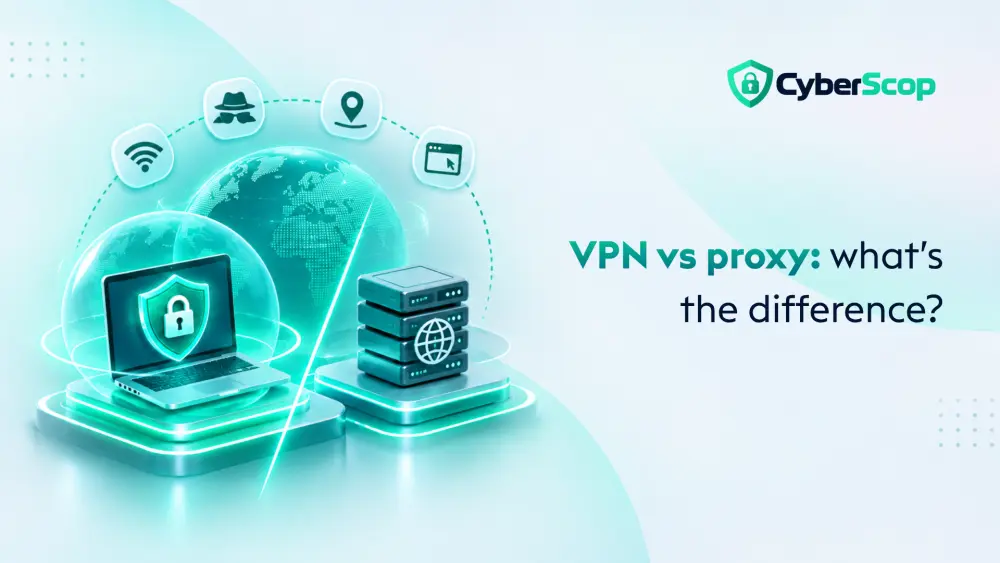
VPN vs proxy, in short: both hide your IP address from the websites you visit, but only a VPN encrypts your traffic. A VPN covers everything on your device, while a proxy usually works for one browser or app and leaves your data unprotected along the way. If you care about privacy or often use public Wi-Fi, pick a VPN. A proxy is fine for light jobs, like checking how a website looks from another country.
Want to see what websites see right now? Check your public IP with our free IP lookup tool, then check again after you connect to a VPN or proxy. You’ll see the change straight away.
Why People Use a VPN or a Proxy
Both tools sit between you and the website. Instead of your request going straight from your home network to the site, it goes through another server first. The site sees that server’s IP address, not yours.
People usually want one of these things:
- Hide their real IP address from websites
- Appear to be in another city or country
- Get around a block on a school or office network
- Stay safer on public Wi-Fi
The last point is where the two tools split. Hiding your IP address and protecting your data are not the same thing, and that’s the main difference in the VPN vs proxy debate.
How a VPN Works
A VPN (virtual private network) creates an encrypted connection, often called a tunnel, between your device and a VPN server. Everything your device sends online goes through that tunnel: your browser, apps, email, games and even background updates.
Because the data is encrypted, your internet provider, the owner of the coffee shop Wi-Fi or anyone else on the network can see that you’re connected to a VPN, but not which sites you open or what you type. Websites see the VPN server’s IP address instead of yours.
There’s one catch. The VPN company can see your traffic after it leaves its server, so you’re moving your trust from your internet provider to the VPN provider. That’s why a clear no-logs policy matters so much. If you’re new to this, our guide on how to use a VPN walks you through the setup step by step.
How a Proxy Works
A proxy server is a middleman for your requests. Your browser asks the proxy for a page, the proxy fetches it from the website, and then passes it back to you. The website sees the proxy’s IP address.
Most proxies are set up in one place at a time, such as your browser settings, a browser extension or a single program. Every other app on your device still uses your normal connection and your real IP address.
A basic proxy doesn’t add any encryption. If the site uses HTTPS (the padlock in the address bar), the page itself is still encrypted by the website, but the proxy owner can still see which sites you visit. On plain HTTP sites, the proxy can read and even change what you send and receive.
VPN vs Proxy: 6 Key Differences
Here’s a quick VPN vs proxy comparison, side by side.
| Feature | VPN | Proxy |
|---|---|---|
| Hides your IP | Yes, from every site and app | Yes, but only in the app that uses it |
| Encryption | Yes, between your device and the VPN server | No, for most basic proxies |
| What it covers | All traffic on your device | Usually one browser or app |
| Speed | Slightly slower because of encryption | Can be quick for simple tasks, but free ones are often crowded |
| Setup | Install an app and tap connect | Enter a server address and port in settings |
| Cost and trust | Good ones are paid; free ones often limit data | Many are free, which often means ads, logging or both |
Put simply, a proxy changes where you appear to be. A VPN changes where you appear to be and also protects what you send.
Types of VPNs and Proxies
Part of the VPN vs proxy confusion comes from the fact that there are several kinds of each. Here are the ones you’re most likely to come across.
Types of VPNs
- Personal VPN: The app most people mean when they say “VPN”. You connect to a server in another location to protect your browsing on any network.
- Remote-access VPN: Used by employees to reach their company network and files from home or while traveling.
- Site-to-site VPN: Links two office networks, such as a branch and a head office. IT teams set this up, not individual users.
Types of Proxies
- HTTP and HTTPS proxy: Handles web traffic in your browser. An HTTPS proxy encrypts the link between you and the proxy, but nothing beyond that app.
- SOCKS5 proxy: Works with more kinds of traffic, such as torrent clients and some games. It doesn’t encrypt anything by itself.
- Transparent proxy: Often run by schools, offices and public Wi-Fi to filter or speed up browsing. You may not know it’s there, and it doesn’t hide your IP.
- Residential proxy: Uses IP addresses from real home connections, so websites are less likely to block it. Common for ad checks and price research.
- Data center proxy: Uses IP addresses from cloud servers. Fast and cheap, but easy for websites to spot and block.
Which One Should You Use?
The VPN vs proxy choice comes down to what you’re doing online.
Use a VPN when:
- You’re on public Wi-Fi at an airport, hotel or coffee shop
- You log in to your bank, email or work accounts away from home
- You want every app on your phone or laptop protected, not just the browser
- You don’t want your internet provider seeing every site you visit
A proxy is enough when:
- You just want to see a website the way it looks in another country
- You’re a developer or marketer testing location-based pages or ads
- You need lots of different IP addresses for research, where your own privacy isn’t the point
- Your school or company network requires one
Are Free VPNs and Proxies Safe?
Running servers costs money. If you’re not paying, the service is usually making money some other way, such as showing ads, capping your data or collecting your browsing activity.
Free web proxies carry the most risk. Your traffic passes through someone else’s server with no encryption, and often there’s no privacy policy at all. Never log in to your bank or email through a free proxy. If you need a free option, a well-known VPN with a free plan and a clear no-logs policy is a much safer choice than a random proxy list.
The FTC gives the same advice in its guide to shopping for a VPN app: read the privacy policy and check what data an app collects before you install it.
What to Check Before You Choose
Whichever side of the VPN vs proxy question you land on, check these points first:
- Encryption: For a VPN, look for modern protocols such as WireGuard or OpenVPN.
- Logging policy: Read what the service keeps. A no-logs policy that has been checked by an outside auditor is best.
- Leak protection: A kill switch and DNS leak protection stop your real IP from slipping out if the connection drops.
- Server locations: Make sure it has servers in the countries you need.
- Speed and stability: Try it during your normal browsing hours before you commit.
- Price and limits: Check data caps, device limits and the refund policy.
Once you’re connected, run our VPN and proxy checker to see how websites view your IP address. Then use the DNS and WebRTC leak test to make sure your real IP isn’t leaking in the background.
Can You Use a VPN and a Proxy Together?
Yes, but most people don’t need to. You can connect to a VPN and also set a proxy in your browser. Your traffic then goes through the VPN tunnel first and the proxy after that.
This adds another stop on the route, so your connection gets slower and problems get harder to fix. It also doesn’t add much privacy, because the proxy still doesn’t encrypt anything. For everyday use, a well-set-up VPN on its own does the job. If you need stronger anonymity than a VPN gives you, read our guide on what Tor is and how it works.
The Bottom Line
When it comes to VPN vs proxy, the real question is what you want to protect. If you only need a different IP address for a quick task, a proxy will do. If you want your traffic encrypted, your whole device covered and safer public Wi-Fi, use a VPN.
Whichever you pick, read the privacy policy, stay away from free services that can’t explain how they make money, and test your connection for leaks after setup. To learn more about how encryption keeps you safe, see VPN security explained.
CyberScop is also building its own VPN, with a no-logs policy, a kill switch and apps for every device. Join the VPN Plus early access list to be among the first to try it.
Frequently Asked Questions
Is a VPN safer than a proxy?
Yes, for most people. A VPN encrypts all traffic between your device and the VPN server, while a standard proxy only swaps your IP address and leaves your data unencrypted. The VPN provider still needs to be trustworthy, so check its logging policy.
Can a proxy encrypt my data?
Basic HTTP and SOCKS5 proxies don’t encrypt anything. An HTTPS proxy encrypts the link between you and the proxy, but it only covers the app that uses it, and the proxy owner can still see which sites you visit.
Does a VPN hide my IP address?
Yes. Websites and apps see the VPN server’s IP address instead of yours. Your VPN provider can still see your real IP, and a DNS or WebRTC leak can expose it, so it’s worth testing after you connect.
Is a proxy faster than a VPN?
Sometimes, for a single browser task, because there’s no encryption. But free proxies are often overloaded, and a good VPN usually slows you down so little that you won’t notice it in daily use.
Can I use a VPN and a proxy together?
You can, but it’s rarely worth it. It adds another server to the route, which slows your connection and makes problems harder to fix, without adding any encryption.
Which is better for everyday browsing?
For daily use, a VPN wins the VPN vs proxy match-up. It protects every app on your device, encrypts your traffic on any network and only takes a tap to switch on.
Is it legal to use a VPN or proxy in the US?
Yes, both are legal in the US. What you do while using them still has to follow the law and the terms of the websites you use.
